Build A Basketball Team Draft Pool: Teams, Years, and Eras
Understand what you are choosing between — franchise, year, and player steps — so Refreshes and Rerolls hit the right layer.
Build A Basketball Team is not a single gacha button. Drafting walks you through selection layers: franchise or team identity, year / era slices, and finally player cards that fill your starting five. Understanding the draft pool explains why a Refresh feels so different from a Reroll, and why chemistry planning starts before you accept the first card.
This page maps the pool model as players experience it in Early Beta. Exact UI labels can shift between builds — re-check Updates after patches — but the layered logic remains the reason roster builders succeed or stall.
Why the pool has layers
Basketball card databases span decades and franchises. Bloxive Studios gates choices so each run samples a manageable slice instead of dumping the entire catalog at once. Typical progression inside a squad build:
- Team / franchise context — Which club identity or grouping feeds the next offers.
- Year or era slice — Which season band or generation of cards is active.
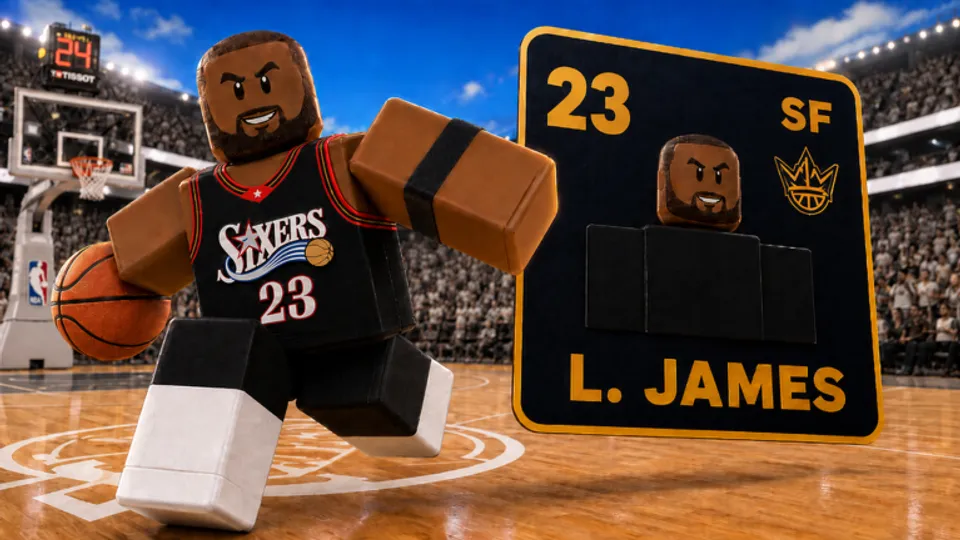
- Player offers — Individual cards with OVR, natural position, and optional MVP/shiny treatments.
A Reroll usually swaps the player offer inside the current slice. A Refresh rebuilds the upstream context so the next player offers come from a different team/year mix. Full button rules live on Rerolls vs Refreshes.
Teams and franchise context
When the draft asks you to lock or sample a team, you are choosing which franchise pipeline fills later rolls. Community reports and code guides describe refreshes as resetting teams, years, and player selections together — meaning a stale franchise mix is one of the main reasons a Refresh is worth spending.
Practical habits:
- Prefer franchise mixes that can still feed your missing natural positions after chemistry swaps (Chemistry).
- Avoid locking into a slice that only duplicates wings when you still need a center.
- Cross-check planned roles against Players and Positions Explained before burning
Updaterefreshes.
There is no official Trello listing every franchise weight (Trello Status). Treat live offers as truth; use this wiki for decision frameworks, not fake odds tables.
Years and eras
Year or era steps narrow which generation of athletes can appear. Older eras may emphasize different position archetypes than modern slices. During Early Beta, players use era choice as a soft filter when chasing chemistry-friendly cores for Starter Build templates.
When to care about year/era:
- Your template needs a specific archetype that only appears in certain bands.
- The current era keeps offering the same low-ceiling commons at your upgrade slot.
- You finished a vanity chase and want a clean rebuild with a different era flavor.
When not to obsess:
- Day-one accounts still learning the lobby — finish squads first (Getting Started).
- You already have a chemistry-clean five and only need one slot upgrade — prefer Rerolls over era resets.
Player selection step
Once team and year context are set, player offers decide OVR. Read every card for:
- Natural position — Chemistry lives or dies here.
- Base OVR and rarity band — Card Rarities.
- MVP / shiny overlay — Only keep if placement raises team OVR (How to Get MVP).
Accept correct-role upgrades even without sparkles. Reject off-role chase cards that force two other starters out of position.
How Refresh interacts with the pool
From community-verified behavior documented across codes coverage:
- Refresh resets the pool of teams, years, and player selections you are choosing from.
- It is the right tool when the slice is wrong, not when one card inside a good slice is weak.
- July 2026 code
Updateis refresh-weighted (15 Refreshes) — ideal for rebuild sessions tied to Build Hub plans.
Redeem codes from the lobby Codes button on the right, then decide which layer is broken before you tap Refresh. See July 2026 Codes Wave for the full active bundle.
Planning a draft before you touch the UI
High OVR players sketch the pool before spending:
- Write the five natural positions you still need.
- Open Lineup Planner or a Best Lineups template.
- Enter the draft and ask at each layer: “Can this team/year still feed my missing roles?”
- If no — Refresh. If yes but this card is weak — Reroll. If yes and the card fits — Accept.
- After each accept, re-run chemistry swaps before the next spend.
This five-step habit saves more resources than memorizing unofficial drop rumors.
Early Beta caveats
Pool weighting, era labels, and UI step names can change without a public patch note. After every update:
- Run one low-stakes draft to confirm team → year → player still behaves as expected.
- Re-test Refresh once so you know it still clears the layers you think it clears.
- Check Updates and Early Beta Expectations for confirmed shifts.
Do not trust third-party “full card list” spreadsheets that invent probabilities. Live server offers plus chemistry math beat fake databases.
Related pages
- Rerolls vs Refreshes — spend rules for each button
- How to Play — full loop from lobby to finished squad
- Players Hub — card and position references
- Tier List — keep vs reroll thresholds by role
- Codes — free resources that refill pool tools
Draft pools are the hidden map under every Build A Basketball Team session. Learn which layer is broken, and Refresh stops feeling like a panic button.
Frequently Asked Questions
Quick answers to the most common questions.
What does the draft pool include in Build A Basketball Team?
Drafting typically layers team or franchise context, year or era slices, and individual player card offers. Refresh resets that broader selection mix; Reroll replaces the current player offer inside it.
When should I Refresh the draft pool?
Refresh when teams, years, or player groups feel duplicate-heavy or cannot feed the natural positions you still need. Do not Refresh just because one card offer was weak.
Is there an official list of every team and era?
No official Trello or wiki publishes complete pool weights yet. Use live offers in-game and planning pages on this fan wiki until Bloxive releases official documentation.
Which code helps most with Refresh sessions?
Update grants 15 Refreshes and 10 Rerolls as of July 2026. Redeem it from the right-side Codes button before rebuild drafts.