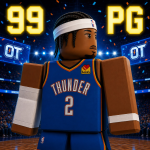
Getting Started in Build A Basketball Team
Your first session checklist — codes, quests, rolls, and position chemistry before you waste a reroll.
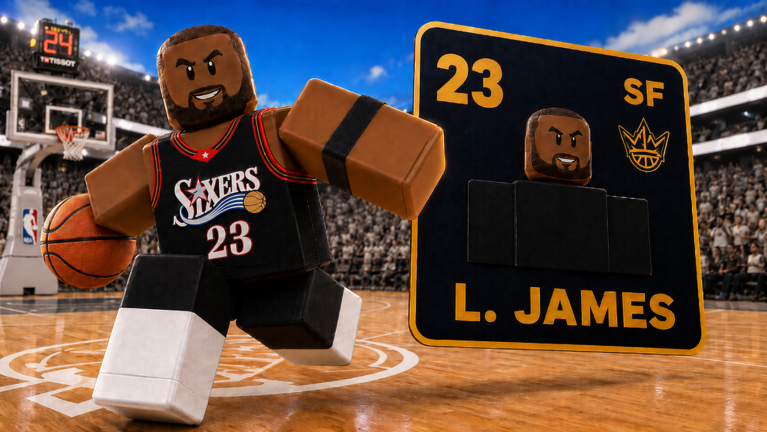
Build A Basketball Team drops you into a card-draft loop the moment you load Roblox. Bloxive Studios built the experience around rolling basketball cards, filling a starting lineup, and pushing team OVR toward 100 while chemistry rewards players slotted in their natural positions. Early Beta means systems can shift between updates, but the day-one flow stays consistent: claim free resources, read the quest tab, roll your first cards, and place them where their position tag actually belongs.
This page is the entry point for new players. When you are ready for the full draft cycle, continue to How to Play. For deeper position rules, see Chemistry. For daily rewards beyond codes, open Quests.
Launch the game and read the lobby
Open Build A Basketball Team on Roblox and wait for the lobby to load. The main screen is your hub between drafts: you can start a new team build, review an in-progress squad, and access menus along the edges. There is no official Trello or wiki inside the client, so treat the on-screen buttons as your primary navigation.
Before you roll anything, scan the UI once. You are looking for three things: a way to enter codes, the quest tab mentioned in the game description, and the button that begins card selection. Knowing where those live saves you from burning a bad first pick because you did not notice a free reroll setting in your inventory.
Redeem codes from the right-side Codes button
Promo codes are the fastest day-one boost. Working codes as of July 31, 2026 include 600k (50 rerolls and 15 refreshes), thx (20 and 10), tuff (15 and 10), and Update (10 and 15). 300k is expired. Full reward tables and expiry notes live on the Codes page.
Redemption steps:
- Stand in the lobby after the world finishes loading.
- Look at the right side of the screen for the Codes button.
- Tap Codes, type the code exactly (case-sensitive entries like
Updatematter), and press Redeem. - Confirm rerolls and refreshes appear in your inventory before you start drafting.
Redeem every active code on your first login. Codes are time-limited during beta and give you room to learn rerolls versus refreshes without spending Robux.
Open the quest tab and claim rewards
The Roblox game description explicitly tells players to check the quest tab for rewards. Quests are how Bloxive teaches the loop while paying rerolls, refreshes, coins, or similar progression currency. On day one, open the quest panel and claim anything already completed — login quests, first squad milestones, or tutorial-style objectives often finish passively.
Quest payouts stack with code redemptions. If a quest asks you to finish a squad or reach a target OVR, note the requirement and cross-check Quests for a full reward breakdown. Claiming quests before your first serious draft means your initial mistakes cost less.
Understand rerolls and refreshes before rolling
Two consumables define how forgiving each draft is:
- Reroll — Replaces the current card offer with a new random player while keeping the same draft step context.
- Refresh — Resets the wider pool of teams, eras, or selection groups so the next offers come from a different slice of the database.
You do not need to master both tools in the first five minutes, but you should know they exist. A common day-one error is rerolling a decent fit because the OVR number looks low, then refreshing away a team theme you needed for chemistry. How to Play walks through when each button is worth pressing.
Your first card rolls and lineup slots
Start a new squad when you are ready. The game presents player cards tied to real basketball names, teams, and eras. Each card shows an OVR rating and a natural position — typically guard, wing, or big-man roles such as point guard, shooting guard, small forward, power forward, and center depending on the card UI.
For your first draft pass:
- Fill every starting slot before you chase perfection. An incomplete lineup cannot show your true team OVR.
- Match natural position to slot whenever possible. Chemistry bonuses apply when the card’s listed role matches the court position you assign.
- Note MVP and shiny variants if they appear, but do not force them off-position for flex value. A shiny card in the wrong role can lower effective OVR compared to a plain card in the correct slot.
- Use one reroll on your weakest mismatch only after you understand what “weak” means — usually wrong position, not merely lower number.
If the draft UI lets you compare a new pull against the incumbent at that slot, favor the card that raises team OVR, not just solo card OVR.
Chemistry basics on day one
Chemistry is the hidden multiplier that separates two lineups with similar talent. Build A Basketball Team calculates team OVR using individual card ratings adjusted by how well each player fits their assigned slot relative to their natural position.
Day-one rules of thumb:
- A high OVR card in the wrong slot often performs worse than a moderate card in the right slot.
- Completing a full five-man squad with correct positions unlocks the true rating you see on leaderboards.
- Swapping two players between slots can raise or drop total OVR without changing any card in your collection.
Read Chemistry before you rebuild your entire squad around one lucky pull. The guide explains swap patterns and why chasing 100 OVR without position discipline stalls in the high 80s.
Where to go after your first squad
Once you finish a lineup:
- Compare your roster to Tier List staples to see which roles need upgrades.
- Browse Players if you are hunting a specific name, era, or MVP variant.
- Skim Build Hub if you want a template five instead of random drafts.
- Follow How to Reach 100 OVR when your chemistry-stable squad needs the last push.
Early Beta pacing is intentionally generous if you use codes, quests, and smart placement together. Your first hour should end with a completed squad, empty quest claims, and a short list of positions to improve on the next run — not with zero refreshes spent on a single vanity pull.
Day-one mistakes to avoid
Skipping the Codes button leaves dozens of free rerolls on the table. Ignoring the quest tab slows every future session. Rerolling before you read a card’s natural position teaches bad habits that Chemistry has to undo later. Finally, do not assume a shiny or MVP badge automatically belongs in your best slot; verify the position tag first, then celebrate the pull.
Frequently Asked Questions
Quick answers to the most common questions.
Where is the Codes button in Build A Basketball Team?
The Codes button sits on the right side of the lobby screen. Tap it, enter a working code such as tuff, thx, or Update, and press Redeem to receive rerolls and refreshes.
What should I do first after joining the game?
Redeem all active codes, open the quest tab and claim finished rewards, then start your first squad draft. Place cards in their natural positions before spending rerolls.
What is the difference between a reroll and a refresh on day one?
A reroll swaps the current card offer for another player at the same draft step. A refresh changes the broader pool of teams or eras you are drafting from. Save refreshes until a whole pool looks weak.
Why does my high OVR card lower my team rating?
Chemistry penalizes cards placed outside their natural position. Move the player to the correct slot or swap roles using the Chemistry guide before rerolling away a good fit.